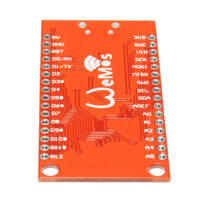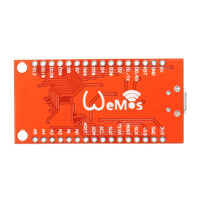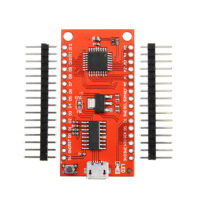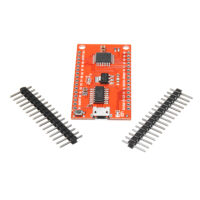

SPIDER Automation | Arduino Nano R3 CH340 Development Board | ATmega328P, 22 Total I/O Connections & Compact Breadboard-Compatible Design
Product Overview & Microcontroller Architecture
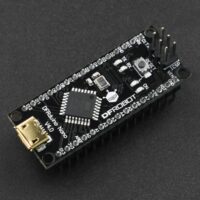
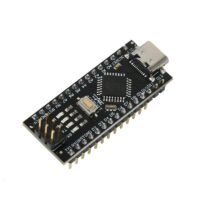
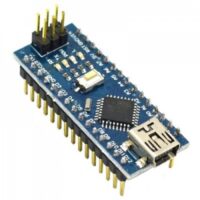
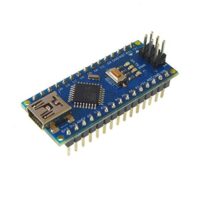
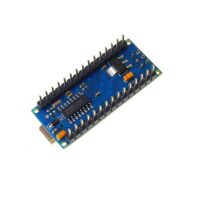
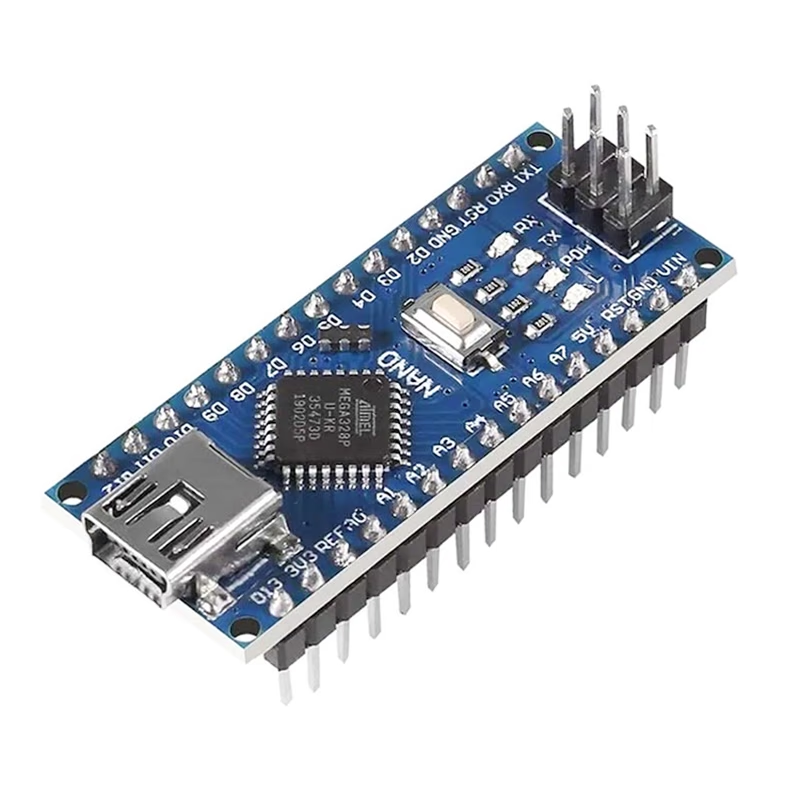
The Arduino Nano R3 CH340 Development Board is a compact microcontroller platform built around the ATmega328P-AU. It offers functionality comparable to the Arduino Uno while using a smaller board layout, making it suitable for embedded applications where available installation space is limited.
The Nano R3 provides 14 digital I/O pins, 8 analog inputs and 6 PWM-capable outputs. Its standard 0.1-inch pin spacing makes it suitable for breadboard-based development and integration into custom electronic assemblies. The board also includes an onboard 16MHz clock, a pre-installed bootloader and an ICSP header for direct programming.
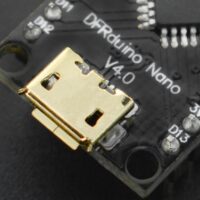
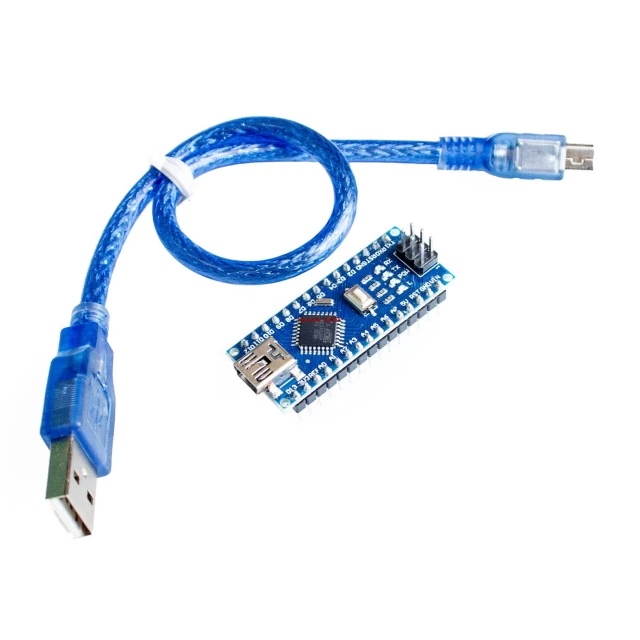
For computer connectivity, the board uses a CH340 USB-to-serial converter and a Mini-B USB connector. This interface supports code uploads and serial communication through a compatible computer. The included Mini-B USB cable can be used for programming and USB-powered operation.
Unlike the Arduino Uno, the Nano board does not have a dedicated DC barrel power jack. It provides alternative power connections through its USB interface and designated power pins, allowing it to be integrated into compact embedded systems.
Technical Features & Performance Characteristics
- ATmega328P-AU MCU: Uses the ATmega328P-AU as the main microcontroller for executing embedded programs and controlling connected peripherals.
- 16MHz Clock Speed: Operates with a 16MHz clock for microcontroller processing and timing operations.
- Digital I/O Connectivity: Provides 14 digital input/output pins for interfacing with external sensors, actuators and digital modules.
- Analog Input Channels: Includes 8 analog inputs for reading analog signals from compatible sensors and circuits.
- PWM Output Support: Provides 6 PWM-capable digital pins for applications such as compatible motor-control signals, LED dimming and other output-control tasks.
- CH340 USB-to-Serial Converter: Uses the CH340 interface IC to provide USB-based serial communication and program uploading through the Mini-B connector.
- Pre-Installed Bootloader: Includes a bootloader that allows program uploads through the USB-to-serial interface without requiring an external programmer for routine uploads.
- ICSP Programming Header: Supports direct in-circuit serial programming through the onboard ICSP header.
- Automatic Reset: Supports automatic board reset during compatible program-upload operations.
- Manual Reset Switch: Provides a physical reset button for restarting the microcontroller during development and testing.
- Onboard LED Indicators: Includes a blue power indicator, green TX LED, red RX LED and orange status LED identified as L.
- AREF Jumper: Includes a +5V-to-AREF jumper arrangement as specified for the board.
- Mini-B USB Connection: Provides the USB interface for programming, serial monitoring and USB power input.
- Breadboard-Compatible Pin Spacing: Uses standard 0.1-inch pin spacing for convenient prototyping and circuit integration.
Power Supply & Operating Configuration
The Nano R3 supports multiple power-input methods, allowing it to operate in different development and embedded installation environments. The board includes automatic power-source selection between the available input sources, according to the supplied specifications.
- USB Power: The board can receive power through its Mini-B USB connector.
- VIN External Input: An unregulated external supply can be connected through the designated VIN input, identified as pin 30 in the supplied description.
- Regulated 5V Input: A regulated 5V supply can be connected through the designated 5V pin, identified as pin 27 in the supplied description.
- External Supply Recommendation: The product specifications state a 7–12V input range for external power. Use a suitable regulated or unregulated source according to the selected input method.
- 9V Battery Support: The supplied feature information identifies a 9V battery as an external power option when connected through the appropriate input arrangement.
- Automatic Power Selection: The board automatically selects the available power source according to its power-selection circuit.
Power connection precaution: A regulated 5V supply connected directly to the 5V pin bypasses the onboard regulator. Use only a correctly regulated 5V source on this pin and observe correct polarity. Do not connect an unregulated 7–12V supply directly to the 5V pin.
Performance Advantages
- Space-Efficient Integration: The compact Nano form factor makes it suitable for installations where a larger development board may be difficult to accommodate.
- Broad I/O Accessibility: Digital, analog and PWM connections support a wide range of embedded input and output requirements.
- Convenient USB Programming: The CH340 USB-to-serial interface allows routine programming and serial communication through the Mini-B USB connection.
- Multiple Programming Options: Supports bootloader-based USB uploads as well as direct programming through the ICSP header.
- Flexible Power Arrangements: USB, VIN and regulated 5V input options provide flexibility for development and embedded installations.
- Breadboard-Friendly Construction: Standard 0.1-inch pin spacing supports convenient prototyping and integration with compatible breadboards.
Embedded Development, Robotics & Prototyping Applications
- Compact Embedded Systems: Developing microcontroller-based applications where board size and available installation space are important.
- Sensor Interfacing: Connecting compatible analog and digital sensors for measurement and monitoring systems.
- Robotics Control: Implementing control logic and interfacing with compatible sensors, actuators and peripheral circuits.
- Automation Projects: Building compact control systems using digital I/O, analog inputs and PWM outputs.
- Serial Communication: Developing systems that communicate with compatible external devices through TTL serial interfaces.
- Electronics Prototyping: Creating and testing circuits on compatible breadboards using standard pin spacing.
- Educational Development: Learning microcontroller programming, sensor interfacing, PWM operation and embedded electronics.
- Custom Circuit Integration: Incorporating Nano-based control functionality into custom PCB assemblies and electronic equipment.
Package Contents
- 1 × Arduino Nano R3 CH340 Development Board (Soldered)
- 1 × Mini-B USB Cable
Product Specifications
| Parameter | Specification |
|---|---|
| Product Type | Development Board, Soldered |
| Board Type | Nano R3 |
| Microcontroller | ATmega328P-AU / ATmega328 |
| USB-to-Serial Chip | CH340 |
| PCB Colour | Blue |
| Clock Speed | 16MHz |
| Operating Voltage | 5V |
| External Input Voltage | 7–12V (specified input range) |
| Power Consumption | 1W (as specified) |
| Digital I/O Pins | 14 |
| Analog Input Pins | 8 |
| PWM Output Pins | 6 |
| Total Digital & Analog I/O Connections | 22 (14 digital + 8 analog) |
| USB Connector | Mini-B USB |
| Programming Support | USB bootloader upload and ICSP programming |
| Reset Function | Automatic reset during program upload and manual reset switch |
| Pin Spacing | Standard 0.1-inch spacing |
| Board Length | 43mm |
| Board Width | 18mm |
| Cable Included | Yes – Mini-B USB cable |
Driver Installation & Operating Recommendations
- CH340 Driver: Some Windows PCs and laptops may require installation of a compatible CH340 USB-to-serial driver before the board’s serial port is detected.
- USB Connection: Use the included Mini-B USB cable to connect the board to a computer for programming and serial monitoring.
- Board Selection: When uploading through the Arduino IDE, select the appropriate Nano board configuration and the detected serial port.
- Bootloader Troubleshooting: If the board is detected but code uploads fail because of a bootloader issue, the bootloader may need to be restored using a compatible ISP programmer or another Arduino board.
- External Power: Follow the specified input range and use the correct power connection. Do not apply an unregulated external supply directly to the regulated 5V pin.
- Pin Compatibility: Verify the voltage and current requirements of connected modules before connecting them to the Nano’s I/O pins.
- Serial Communication: Keep the board’s serial connections and USB-to-serial interface in mind when using RX/TX pins for external communication.