

Description
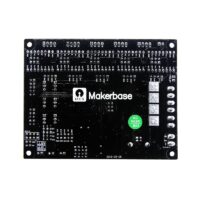
Upgrade your CNC workflow and break free from the limitations of parallel ports and outdated hardware. The MACH3 V2.1 5-Axis CNC Motherboard allows you to operate your engraving machine using any standard PC or laptop via a reliable USB connection. Fully compatible with Windows XP through Windows 10 (32-bit and 64-bit systems), this controller brings modern connectivity to your machining setup.
Engineered for safety and precision, the board features optocoupler isolation across all input signals to protect your computer, alongside advanced spindle control capabilities. Whether you are using stepper motors or servo drivers, this 5-axis interface provides the stability and performance needed for professional-grade CNC engraving.
Key Features
- USB Communication: Eliminates the need for a legacy parallel port; compatible with modern Windows operating systems, including Windows 10.
- Broad Compatibility: Supports all versions of the MACH3 software, including the latest releases.
- Enhanced Safety: Fully isolated input signals for Emergency Stop, Limit Switches, and Zero Return functions to ensure maximum computer security.
- Versatile Spindle Control: Features optocoupler-isolated 0-10V analog output for inverter speed control and PWM output (5V level) for spindle speed controllers.
- High-Speed Performance: Delivers a maximum 100KHz pulse output per axis, suitable for high-precision stepper or servo motor drivers.
- Wide Voltage Input: Features external 12V–24V power input with integrated reverse-polarity protection.
Package Includes
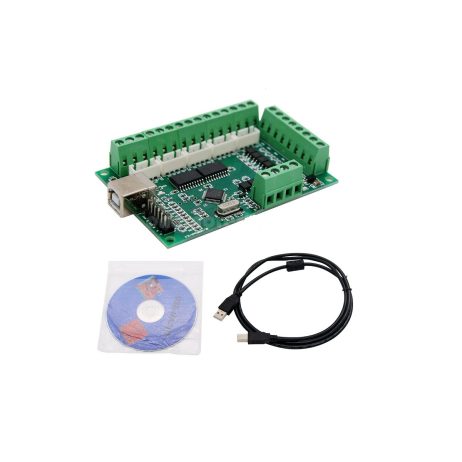
- 1 x MACH3 V2.1 5-Axis CNC Motherboard
- 1 x USB Data Cable
- 1 x Software/Driver CD
Technical Specifications
| Parameter | Specification |
|---|---|
| Item Type | CNC Controller Board |
| Compatibility | MACH3 Software |
| Interface | USB 2.0 |
| Input Voltage | 12V – 24V DC |
| Max Pulse Frequency | 100 KHz per axis |
| Dimensions | 98 x 60 mm |
Setup Note: To begin operation, install the MACH3 software and place the provided driver DLL file (BL-UsbMach-V22.dll) into your Mach3 Plugins folder. Upon first launch, select “USBMach V2.0” as your motion controller to establish communication.