


SPIDER Automation | RD945 5.8GHz 48CH FPV Diversity Receiver | Dual AV Output Wireless Video Reception
Product Overview & Receiver Design
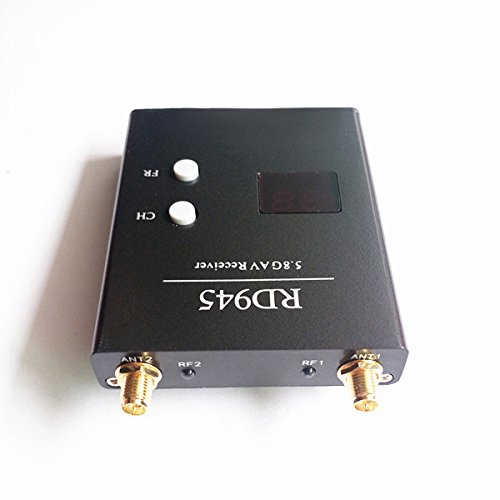
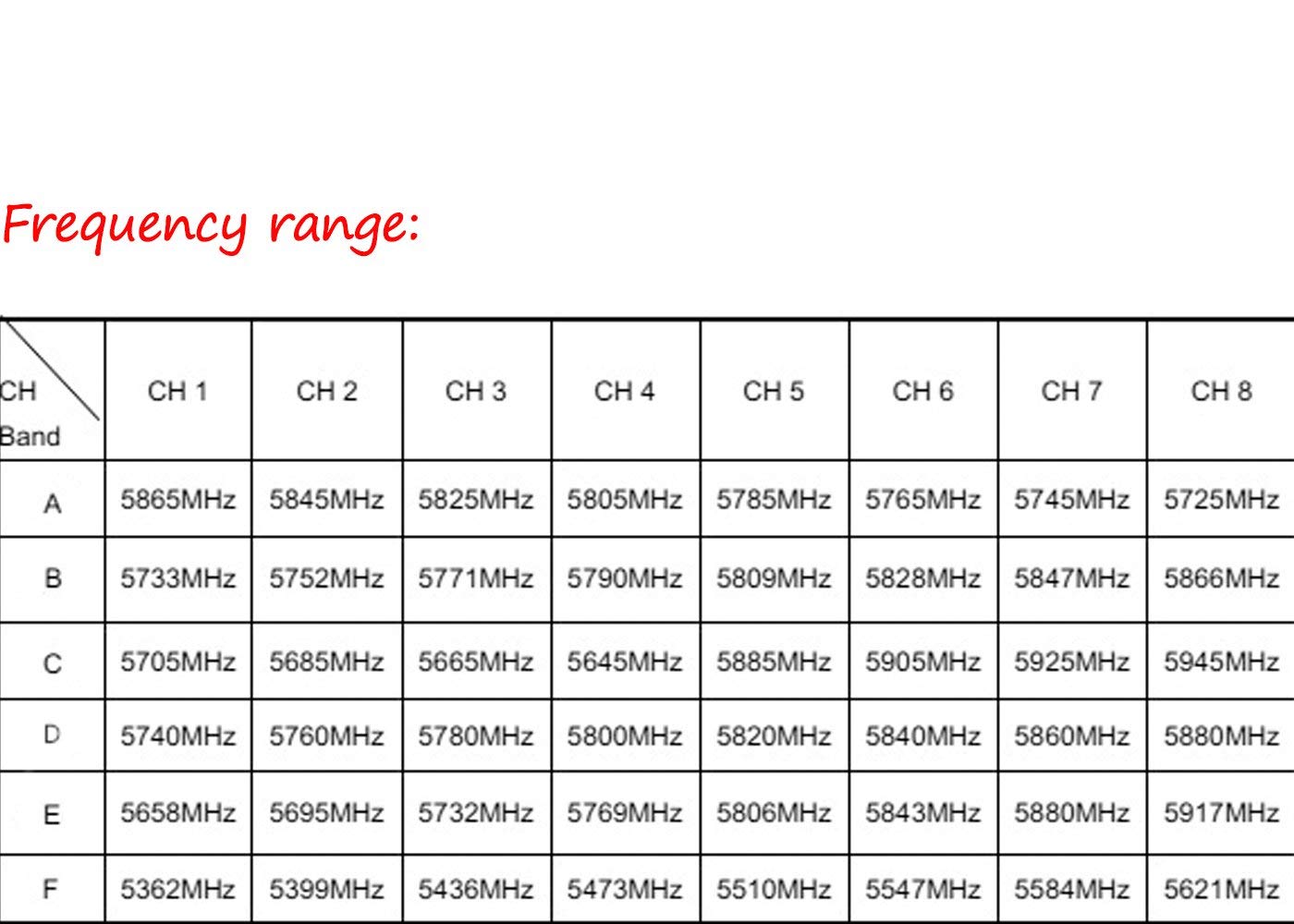
The SPIDER Automation RD945 5.8GHz 48CH Diversity Receiver is an analogue wireless video reception unit developed for compatible FPV systems, RC drone ground stations and 5.8GHz video monitoring setups. Its 48-channel configuration provides access to six frequency bands, allowing users to select a suitable reception channel corresponding to the frequency of a compatible video transmitter.
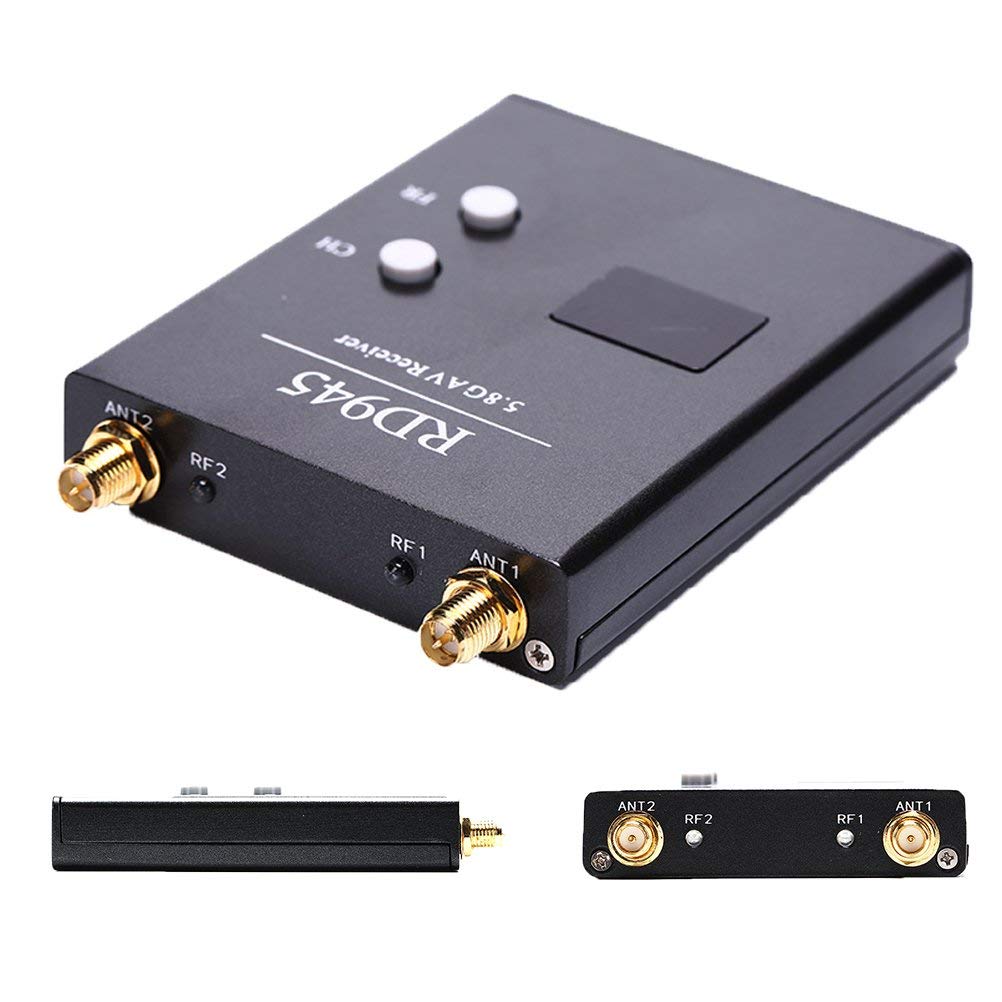
The receiver incorporates a diversity reception architecture with two antenna connections. Diversity reception is intended to improve reception consistency by providing two antenna paths under changing signal conditions. The unit also provides two independent audio/video outputs, making it suitable for ground stations requiring separate connections to compatible viewing or recording equipment.
Technical Features & Performance Characteristics
- 48-Channel Frequency Configuration: Provides 48 selectable reception channels across six frequency bands: A, B, C, D, H and L.
- Diversity Reception: Two antenna reception paths support diversity operation to help reduce signal interruptions associated with changing reception conditions.
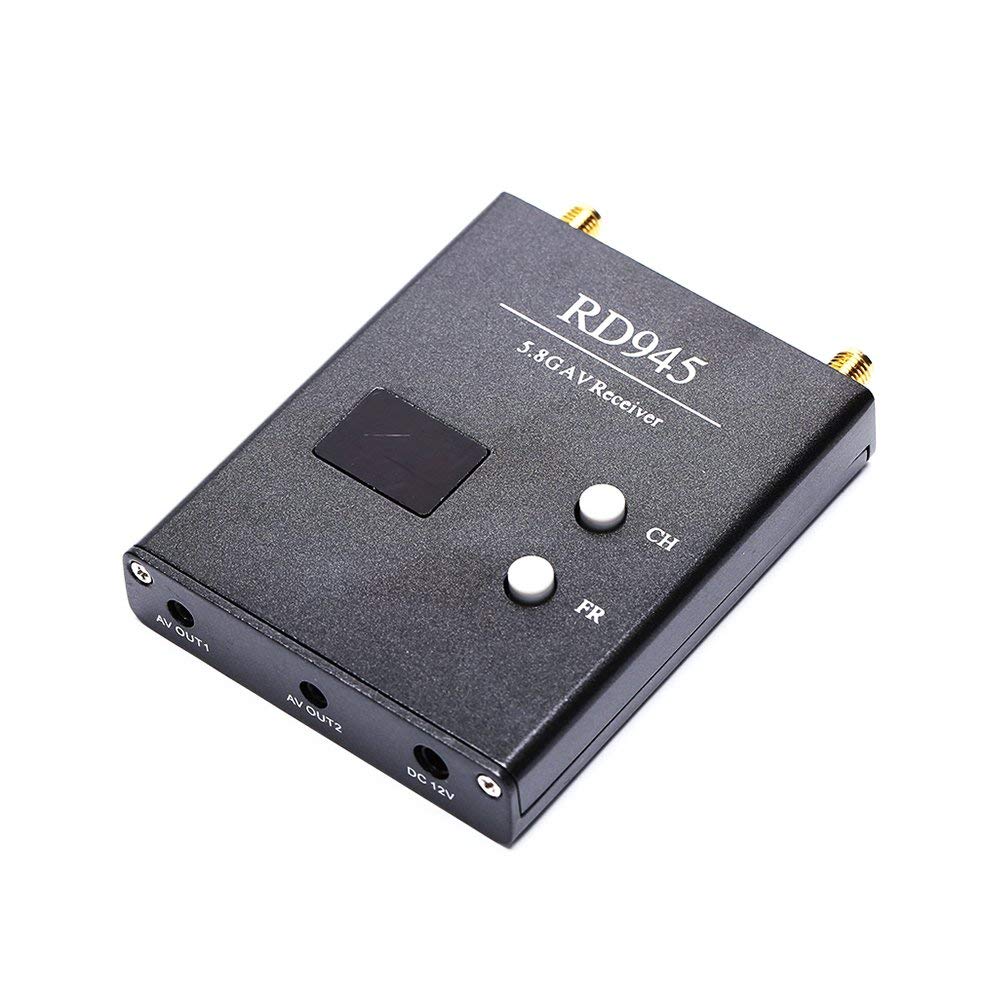
- Dual Audio/Video Outputs: Two independent AV output connections allow the receiver to interface with compatible display and recording devices.
- NTSC/PAL Video Support: Automatically detects the supported analogue video format for compatibility with suitable AV equipment.
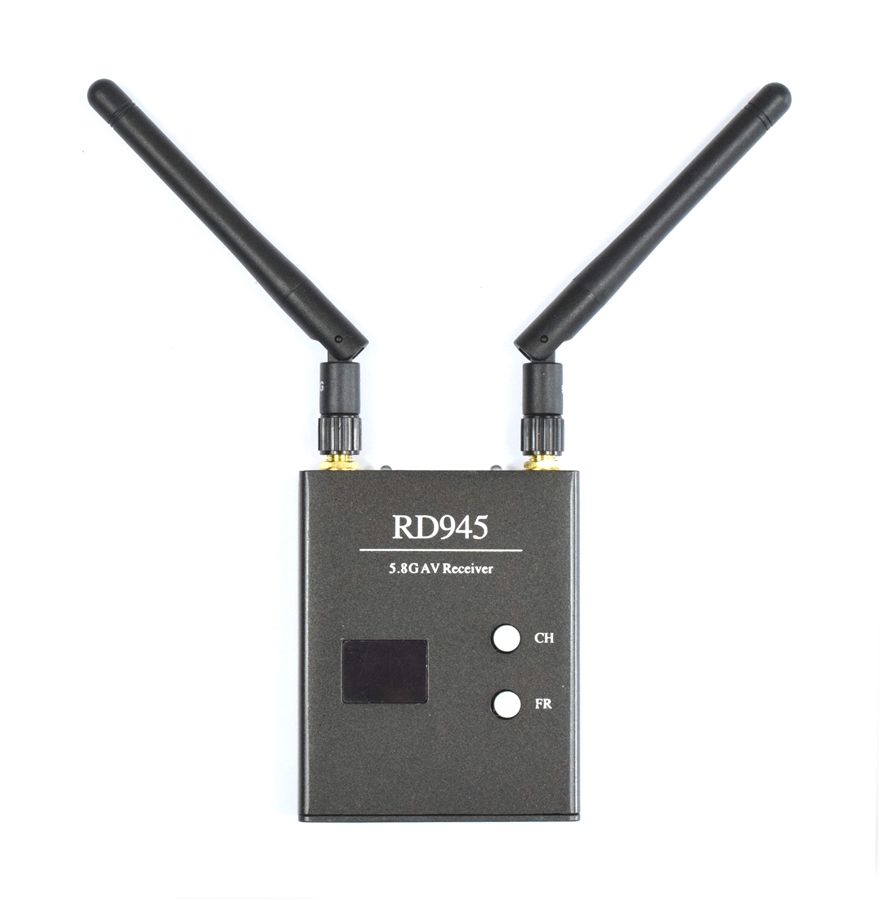
- Onboard Frequency Controls: Two dedicated buttons provide band and channel selection directly on the receiver.
- LCD Channel Indication: The two-digit display indicates the selected band and channel.
- Frequency Memory: Retains the last selected band and channel after power is removed.
- RP-SMA Antenna Interface: Uses RP-SMA male antenna connectors for compatible 5.8GHz antennas.
- Prewired Power Connection: Includes a mini-JST terminated power cable for connection to a compatible 12V DC supply.
Connectivity & System Integration
The RD945 is intended for integration into FPV ground stations and analogue wireless video monitoring systems. Its two independent AV outputs can be used to connect compatible display or recording equipment, such as an FPV monitor, video goggles or DVR. The connected equipment must support the receiver’s analogue audio/video output format and electrical interface.
The antenna interfaces use RP-SMA male connectors. Antennas must have matching connector compatibility and should be suitable for the 5.8GHz operating band. Install the antennas securely before applying power to the receiver.
Applications
The RD945 can be used in compatible analogue 5.8GHz wireless video systems where selectable frequency reception, diversity antenna connections and independent AV outputs are required.
- FPV Drone Ground Stations: Receives compatible analogue video transmissions from 5.8GHz FPV transmitters for ground-based monitoring.
- Multirotor Video Monitoring: Supports wireless video reception for compatible quadcopter and multirotor FPV systems.
- RC Aircraft FPV Systems: Provides a ground-side video reception interface for compatible fixed-wing RC aircraft systems.
- FPV Monitor Integration: Connects to compatible analogue video monitors for live video viewing.
- FPV Video Goggles: Supports connection to compatible goggles equipped with suitable analogue AV input interfaces.
- DVR Recording Systems: Provides analogue AV output for compatible video recording equipment.
- Dual-Display Ground Stations: Supports ground-station configurations using two independent AV output connections and compatible equipment.
- Wireless Video Testing: Can be used for testing and monitoring compatible 5.8GHz analogue video transmission systems.
- RC Video System Development: Suitable for integration into compatible RC wireless video reception assemblies.
- Portable FPV Reception Setups: Its compact receiver format supports integration into portable ground-station equipment.
Package Includes
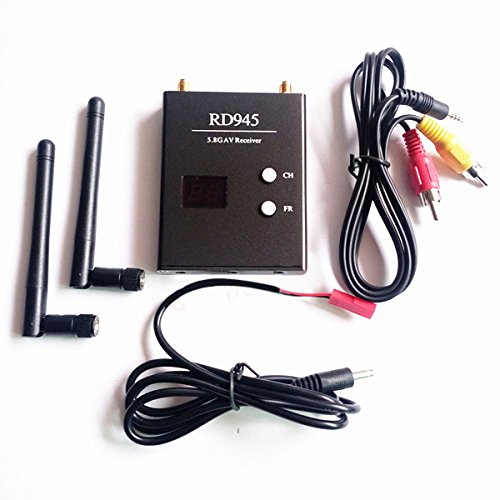
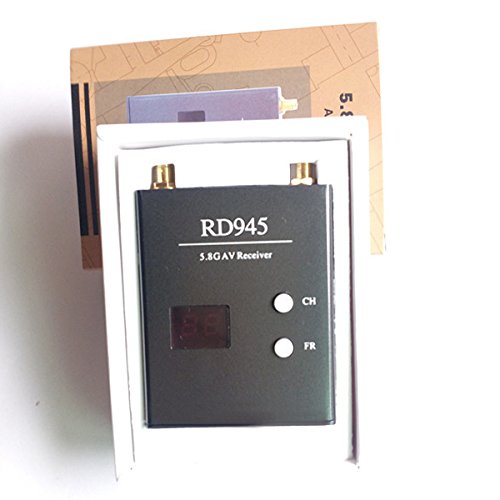
- 1 × RD945 5.8GHz 48CH Diversity Receiver
- 2 × Antennas
- 1 × Video Cable
- 1 × Power Cable
Product Specifications
| Parameter | Specification |
|---|---|
| Product Model | RD945 |
| Product Type | 5.8GHz FPV Diversity Receiver |
| Operating Frequency Band | 5.8GHz |
| Number of Channels | 48 |
| Supported Frequency Bands | A, B, C, D, H and L |
| Receiver Architecture | Diversity |
| Antenna Connector Type | RP-SMA |
| Antenna Connector Gender | Male |
| AV Output | 2 independent audio/video outputs |
| Video Format | NTSC/PAL, automatic detection |
| Frequency Selection | Two onboard control buttons |
| Channel Display | Two-digit LCD |
| Power-Off Memory | Last selected band and channel |
| Operating Voltage | 12V DC |
| Current Consumption | 200mA |
| Gain | 2dB (as listed in the product specifications; gain reference not identified) |
| Receiver Dimensions (L × W × H) | 80 × 65 × 15mm |
| Listed Length | 100mm |
| Colour | Black |
| Weight | 85g |
Connection & Operating Recommendations
For reliable operation, install the antennas and verify the power and AV connections before switching on the receiver. Use a regulated or otherwise suitable 12V DC power source and ensure that the supply connector polarity matches the receiver’s power input. Do not assume that a battery or connector is compatible based on its physical fit alone.
- Install Antennas Before Power-Up: Connect both supplied antennas to the receiver’s RP-SMA interfaces before switching on the unit. Do not operate the receiver with its antenna connections left open.
- Verify Antenna Compatibility: Confirm RP-SMA connector compatibility and 5.8GHz suitability before connecting replacement antennas.
- Use a Suitable 12V DC Supply: Check the supply voltage, polarity and connector wiring before connecting the prewired mini-JST power cable.
- Match the Transmitter Frequency: Select the receiver band and channel corresponding to the compatible 5.8GHz video transmitter.
- Check AV Interface Compatibility: Confirm that the connected monitor, goggles or DVR accepts the receiver’s analogue audio/video output format and connection type.
- Allow Adequate Antenna Clearance: Position the antennas to avoid unnecessary obstruction from metal structures, enclosures and other equipment.
- Check Reception Before Deployment: Verify the selected channel, video format and AV output operation before using the receiver in a field installation.