
SPIDER Automation | USB 3.0 Type-A Male to Female Adapter | USB Port Extension & Protection Connector
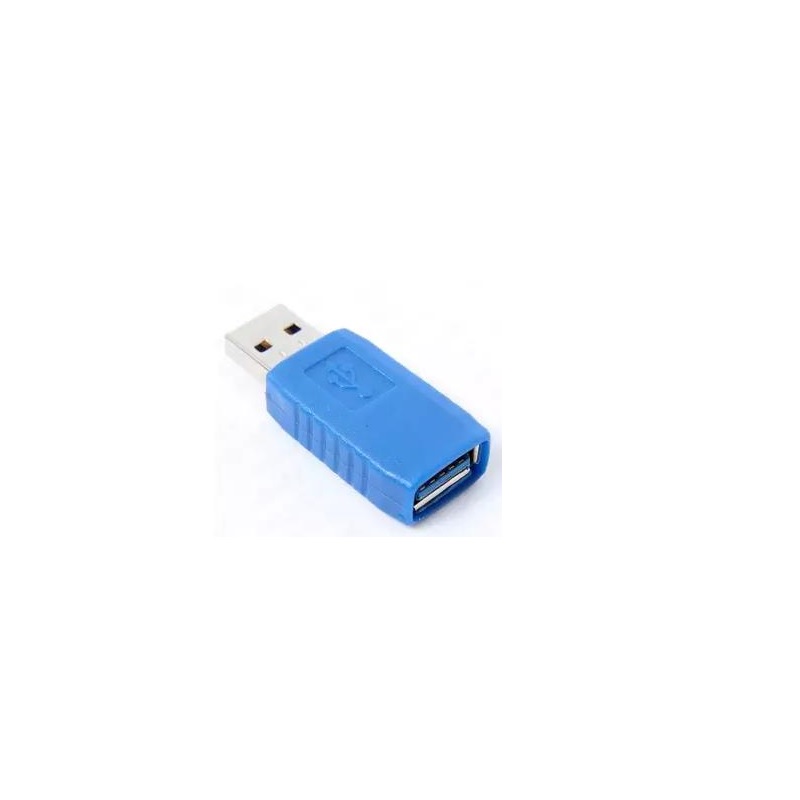
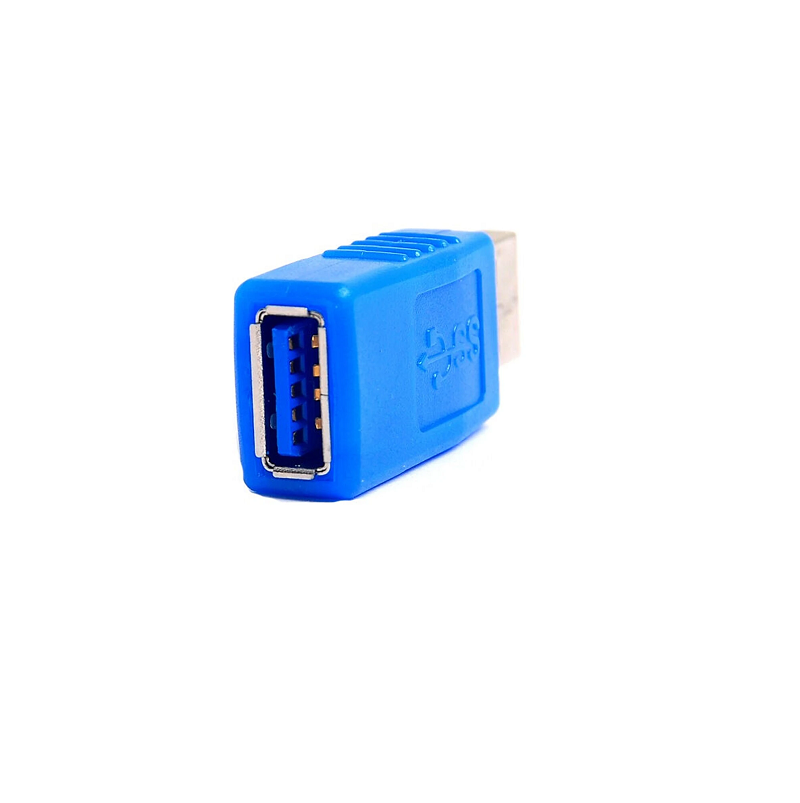
The SPIDER Automation USB 3.0 Type-A Male to Female Adapter provides a compact connection extension for USB-equipped computers, consoles and compatible electronic devices. It features a USB Type-A male plug on one side and a USB Type-A female socket on the other, allowing a compatible USB cable or peripheral to connect through an additional interface rather than directly into the host device’s built-in port.
The adapter is useful where USB connections are frequently changed, particularly on desktop computer cabinets and gaming systems. By providing a convenient intermediate connection point, it helps reduce repeated mechanical insertion and removal at the original host port. Its USB 3.0 interface is backward compatible with suitable USB 2.0 connections, while actual data-transfer performance and power delivery remain dependent on the connected host, peripheral and cable.
Product Overview & Connection Design
The adapter uses the standard USB Type-A male-to-female connector arrangement. The male plug connects to a compatible USB Type-A host port or cable, while the female socket provides the mating interface for another USB Type-A plug. This creates an additional connection point between the host and peripheral.
Rather than repeatedly connecting accessories directly to a computer’s built-in USB port, users can leave the adapter connected and perform routine peripheral connections through its female socket. This can help limit mechanical wear on frequently used host ports, especially when the original port is located at the rear of a desktop cabinet or in a difficult-to-access position.
USB 3.0 Interface & USB 2.0 Compatibility
The adapter is designed for USB 3.0 Type-A connectivity and is also compatible with USB 2.0 connection arrangements. This allows compatible USB 2.0 peripherals and cables to be connected without requiring a separate adapter solely for the older interface generation.
- USB 3.0 Connectivity: Provides a physical connection path for compatible USB 3.0 devices and cables.
- USB 2.0 Compatibility: Supports compatible USB 2.0 Type-A connections.
- Host-Dependent Performance: The operating speed is determined by the slowest compatible interface in the complete connection path.
- Passive Connection: Provides connector extension without acting as a USB hub, controller or active signal repeater.
Male-to-Female Adapter Configuration
The male-to-female layout provides a direct interface between two compatible USB Type-A connection points. The adapter can be incorporated into different cable arrangements depending on which side of the connection requires the male plug and which requires the female socket.
- USB Type-A Male: Connects to a compatible USB Type-A female port or extension cable.
- USB Type-A Female: Accepts a compatible USB Type-A male plug from a peripheral or cable.
- Extension Arrangement: Provides an additional connection point between the host and connected USB equipment.
Host Port Protection & Everyday Connectivity
Repeated insertion and removal of USB plugs can gradually contribute to mechanical wear at frequently used host ports. Using an intermediate adapter provides a replaceable connection point for routine peripheral access, helping reduce the need to repeatedly handle the computer’s original USB socket.
This arrangement is particularly practical for desktop cabinets and consoles where USB ports may be positioned at the rear or where users frequently change connected accessories. It does not provide electrical surge protection or guarantee prevention of connector damage; its purpose is to offer an additional physical connection interface.
Applications
The USB 3.0 male-to-female adapter is suitable for everyday USB connection extension and frequently accessed peripheral interfaces.
- Desktop Computer Port Extension: Provides an additional accessible USB connection point for desktop PC users.
- Computer Cabinet Port Protection: Helps reduce repeated handling of the original USB ports on desktop cabinets.
- Gaming Console Connectivity: Provides an intermediate connection point for compatible USB accessories connected to gaming consoles.
- USB Peripheral Connection: Supports compatible USB accessories such as keyboards, mice and other Type-A peripherals.
- USB Cable Extension Arrangements: Connects compatible USB Type-A cables through a male-to-female interface.
- Workstation Accessory Connections: Provides a convenient interface for frequently connected computer accessories.
- USB 2.0 Device Integration: Accommodates compatible USB 2.0 peripherals within supported USB connection arrangements.
- Computer Maintenance Setups: Provides an additional connection point for compatible USB equipment used during routine system servicing.
Package Includes
- 1 × USB 3.0 Type-A Male-to-Female Adapter.
Product Specifications
| Parameter | Specification |
|---|---|
| Product Type | USB Type-A male-to-female adapter |
| USB Interface | USB 3.0 |
| Connector A | USB Type-A male |
| Connector B | USB Type-A female |
| Connector Gender | Male to female |
| Interface Compatibility | USB 3.0 and compatible USB 2.0 connections |
| Connection Function | USB connection extension |
| Connection Direction | Male-to-female connection arrangement; usable in compatible cable configurations |
| Operation Type | Passive connector adapter |
| Driver Requirement | No separate adapter driver required |
| Primary Application | USB peripheral connection and host-port wear reduction |
| Package Quantity | 1 adapter |
Connection & Operating Recommendations
- Verify Connector Type: Confirm that the host port and connected cable use standard USB Type-A interfaces before installation.
- Connect the Male Plug: Insert the adapter’s USB Type-A male connector into the intended host port or compatible extension cable.
- Connect the Peripheral Cable: Insert the USB Type-A male plug from the peripheral or cable into the adapter’s female socket.
- Check USB Generation: For USB 3.0 operation, ensure that the host port, adapter connection and peripheral support the required USB 3.0 interface.
- Maintain USB 2.0 Compatibility: When connecting USB 2.0 devices, remember that the complete connection operates according to the supported USB 2.0 capabilities.
- Avoid Excessive Mechanical Force: Insert and remove plugs straight along the connector axis rather than twisting or pulling them sideways.
- Manage Cable Strain: Avoid leaving heavy cables hanging from the adapter or placing continuous sideways pressure on the host port.
- Check Peripheral Operation: Verify that the connected device is detected and operates correctly after installation.
- Use Suitable USB Cables: Select cables appropriate for the connected peripheral’s data and power requirements.